On this page7 sections
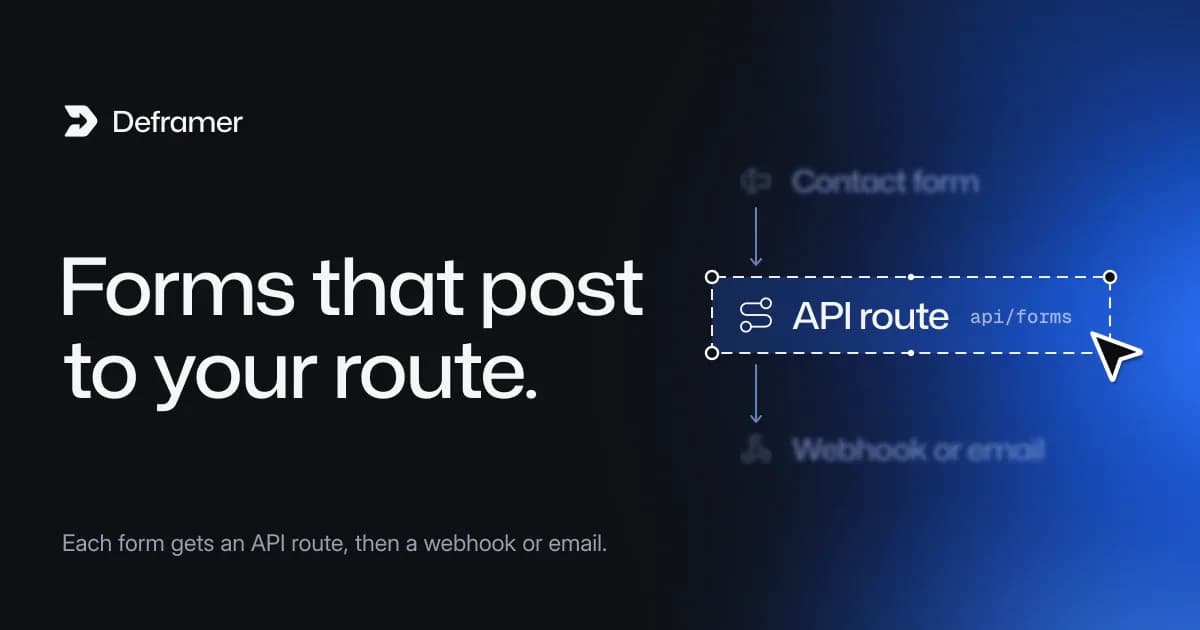
In a Next.js project converted by Deframer, Framer's native forms no longer post to Framer's form service. Each form gets its own API route at src/app/api/forms/<name>/route.ts, its fields are listed in src/site/forms.ts, and src/lib/forms.ts rate-limits, filters spam, validates and delivers every submission. Delivery means the submission is logged and sent as JSON to webhook URLs you set in environment variables, so you decide where it goes: Zapier, Make, n8n, Slack, a CRM, or your own email code.
Forms are the one part of a site that has to change when you leave a hosted platform, because something on your side must now receive the data. This guide shows the three files involved, how to connect a destination, how to send email, and how to test before launch.
The three files
One route per form
Every native form gets a route named after the form's layer (or, failing that, its file), such as contact or footer. The route file is a single line (real output):
// src/app/api/forms/footer/route.ts
import { formHandler } from "@/lib/forms";
import { forms } from "@/site/forms";

export const POST = formHandler("footer", forms.footer);
The form component in your view posts to that route. You don't need to change it unless you rename the form.
The field list
src/site/forms.ts lists every form with its fields, as the design defines them: type, whether it is required, select options, an optional redirect page after success, and the name of the environment variable holding the form's own webhook.
// src/site/forms.ts (excerpt)
export const forms = {
  contact: {
    fields: {
      Name: { type: "text", required: true },
      Email: { type: "email", required: true },
      Message: { type: "textarea" },
    },
    webhook: "FORMS_CONTACT_WEBHOOK_URL",
  },
};
If you change a form in the design, keep this file in step with it. Fields a form sends that aren't listed are still accepted as plain text, so code overrides that add inputs keep working, but listing a field is what gets it validated.
The handler
src/lib/forms.ts does four things, in order:
- Rate limit. A few submissions per minute from one IP address. The count lives in the server's memory, so each server instance counts on its own. If you run several instances, move it to a shared store such as Redis.
- Honeypot. Hidden decoy fields catch simple bots. A submission that fills them is answered like a success but never delivered.
- Validation. The same checks the browser makes (required fields, email and URL formats, number and date ranges, maximum length, select options) run again on the server, where they can't be skipped.
- Delivery. The submission is logged and POSTed as JSON to
FORMS_WEBHOOK_URL(every form) and to the form's own variable, such asFORMS_CONTACT_WEBHOOK_URL, when set.
It answers with JSON: { "ok": true } on success (plus redirect when the form has one), 400 with per-field errors for invalid input, 429 when rate-limited, and 502 if a webhook fails.
It is a starting point, written to be read and changed. The file's own comments explain each part.

Connecting a destination
- Copy
.env.exampleto.env.local. The example listsFORMS_WEBHOOK_URLand oneFORMS_<NAME>_WEBHOOK_URLper form. - Create a webhook trigger in the tool you use (an automation platform, a Slack incoming webhook, your CRM's intake endpoint) and paste its URL into the right variable.
- Restart
npm run devso the new variables load. - In production, add the same variables in your host's dashboard.
.env*.localfiles are listed in.gitignore, so your secrets stay out of the repository.
Every webhook receives the same body:
{
  "form": "contact",
  "fields": { "Name": "Ada", "Email": "ada@example.com", "Message": "Hello" },
  "page": "/contact",
  "submittedAt": "2026-09-24T09:30:00.000Z"
}
Set only FORMS_WEBHOOK_URL to send all forms to one place, or only the per-form variables to route them separately. If you set both, a submission goes to both.
Deploying with environment variables differs a little per host; the deployment guide covers Vercel, Netlify, Cloudflare and Fly.io.
Sending email from deliver
If you want an email per submission rather than a webhook, call your email provider's HTTP API from the deliver function in src/lib/forms.ts. Most transactional email providers accept a JSON POST with an API key. The sketch below is code you add; shape the request body the way your provider's documentation describes.
// Added to src/lib/forms.ts: called from deliver() after the webhooks.
async function sendEmail(submission: Submission): Promise<void> {
  const apiUrl = process.env.EMAIL_API_URL;
  const apiKey = process.env.EMAIL_API_KEY;
  if (!apiUrl || !apiKey) return;

  const lines = Object.entries(submission.fields).map(([name, value]) => `${name}: ${String(value)}`);
  const response = await fetch(apiUrl, {
    method: "POST",
    headers: { "Content-Type": "application/json", Authorization: `Bearer ${apiKey}` },
    body: JSON.stringify({
      to: process.env.EMAIL_TO,
      subject: `New ${submission.form} submission`,
      text: lines.join("\n"),
    }),
    signal: AbortSignal.timeout(10_000),
  });
  if (!response.ok) throw new Error(`Email API answered ${response.status}`);
}
Add the new variables (EMAIL_API_URL, EMAIL_API_KEY, EMAIL_TO) to .env.example without values so the next developer knows they exist. Throwing on failure makes the route answer 502, so the visitor sees an error rather than a false success.
What stays the same
Not every form on a Framer site is a native Framer form. Forms built inside code components and third-party embeds, such as a HubSpot or Typeform embed, remain the site's own code and keep posting where they did before. You don't need to configure anything for them, but test them on the new domain, since some embed providers restrict the domains a form may load on.
Testing with curl
Before pointing DNS at the new site, test every form route locally. With npm run dev running:
# A valid submission: expect {"ok":true}
curl -i -X POST http://localhost:3000/api/forms/contact \
  -H "Content-Type: application/json" \
  -d '{"fields":{"Name":"Ada","Email":"ada@example.com","Message":"Hello"},"page":"/contact"}'

# An invalid email: expect 400 with an errors object naming the field
curl -i -X POST http://localhost:3000/api/forms/contact \
  -H "Content-Type: application/json" \
  -d '{"fields":{"Name":"Ada","Email":"not-an-email"}}'

# A filled honeypot: expect 200, and nothing delivered
curl -i -X POST http://localhost:3000/api/forms/contact \
  -H "Content-Type: application/json" \
  -d '{"fields":{"Name":"Bot","Email":"bot@example.com"},"honeypot":"x"}'
Repeat the first request several times quickly to see the 429 rate-limit response. Watch the terminal running npm run dev: every delivered submission is logged with a [forms] prefix, which tells you the handler ran even before a webhook is connected.
Then submit each form in the browser, at desktop and phone widths, and confirm the data arrives at its destination. The project README.md has a Forms section listing this site's forms.
A pre-launch checklist
Check | Where |
|---|---|
Every form has a route | |
Fields match the design | |
Webhook variables set in production | Your host's environment settings |
Rate limit suits your hosting | |
Embedded forms work on the new domain | The provider's domain settings |
Deframer is an independent tool, not affiliated with Framer, and the form code it writes is yours to change. If something in the conversion needed attention, the result page's notices name it; common conversion issues explains what each one means.
FAQ
Will my Framer form submissions keep arriving where they did?
Not for native Framer forms. They post to your project's own routes, so you connect a webhook or email delivery yourself; code-component forms and third-party embeds keep posting where they did.
Is the in-memory rate limit enough in production?
For a single server, usually yes. On hosts that run several instances, each counts separately, so use a shared store such as Redis if you need one limit across all of them.
Can I store submissions in a database instead?
Yes. Write to your database from deliver in src/lib/forms.ts, the same way the email example calls an API. The submission object already holds the form name, fields, page and time.
Does Deframer receive my form submissions?
No. Submissions go to the routes in your own project and the destinations you configure. The FAQ explains what Deframer does with the files it converts.