On this page7 sections
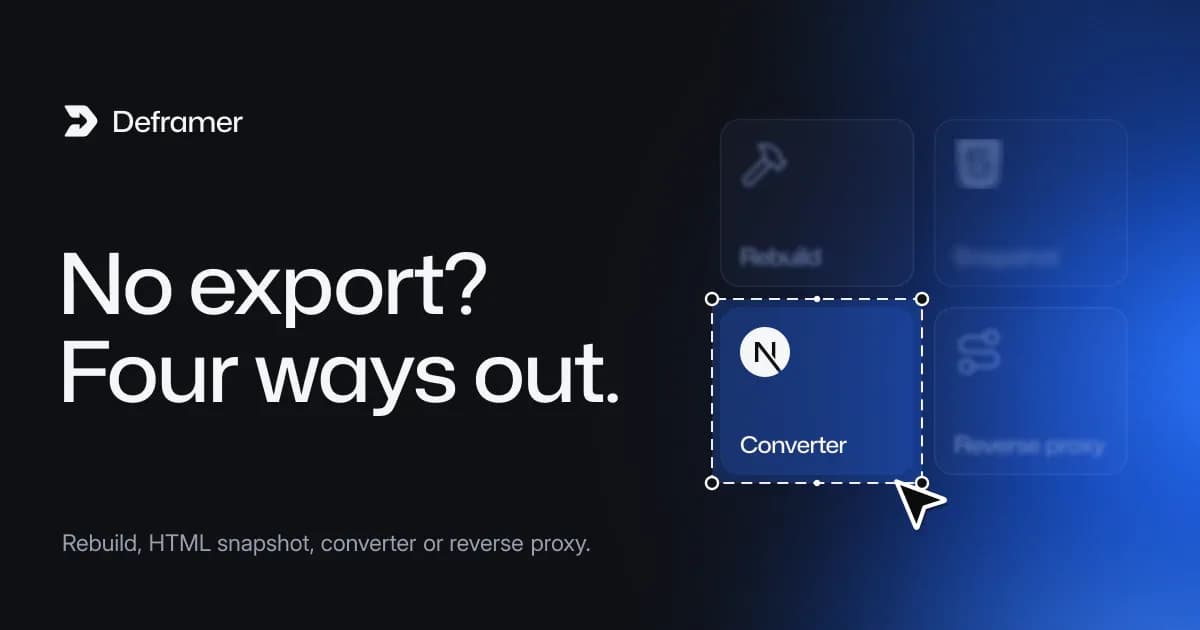
No. Framer doesn't have a button that downloads your site as source code. Its help center says plainly that "Framer does not offer HTML export for self-hosting" (Framer Help). To get code you can own, you either rebuild the site by hand, save a static HTML copy with a third-party tool, or convert the published site into a real project with a converter such as Deframer, which writes a Next.js App Router project in TypeScript.
The rest of this post explains why there's no export button, what Framer does let you take out, and how the four routes compare, so you can pick one before you spend time or money.
Why Framer has no export button
A Framer site isn't a folder of HTML files sitting on a server. Framer's own explanation is that "published sites are not fully static and cannot be exported as standalone HTML files for self-hosting" (Framer Help). The pages you see are rendered by Framer's runtime from the modules your project publishes: components, variants, breakpoints, CMS data and animations. That's what makes the editor so fast to work in, and it's also why "Save as HTML" can't capture the whole thing.
It isn't a lock-in trick so much as a different product shape. Framer is a design tool with hosting built in, not a code generator. If your site needs to live as code, you have to get that code another way.
What Framer does let you take out
Some parts of a site are portable without any outside tool:
- CMS content. Framer's data-portability article says CMS content "can be exported using plugins into structured formats such as CSV or JSON" (Framer Help). That gives you the records, but not the pages that display them.
- Your original assets. Images, videos and fonts you uploaded are files you already have, or can download from the published site.
- Your design. Everything you designed is still yours. It just isn't code yet.
So the content and assets can move. The layout, components, responsive rules, interactions and forms are what you need to rebuild or convert.
The four routes to your site's code
1. Rebuild by hand
Open the Framer project next to an empty Next.js, Astro or plain HTML project and recreate each page. You get exactly the code you want and learn the site inside out. The cost is time: matching every breakpoint, hover state, spring timing and CMS template takes far longer than it looks, and the details you miss only show up when you compare the two sites side by side.
2. Save a static HTML snapshot
Several third-party tools crawl a published site and save the HTML, CSS, JavaScript and assets as files. This suits archiving a site, or hosting a mostly static page somewhere cheap. What you get is the output of a build, not a project to work in: there are no components to reuse, editing means editing generated markup, and anything that relied on Framer's servers, such as native form submissions, needs a new destination. We compare this route with a Next.js project in Framer to HTML or Framer to Next.js.
3. Convert the published site into a project
A converter reads what your published site serves and writes it back out as source code. Deframer does this for Next.js: every page becomes an App Router route with its metadata, components become React components with CSS modules, CMS collections become JSON files, and native forms get their own route handlers. There's no Framer runtime in the result; a small helper kit in the project replaces it. You download a standard Next.js 16 project with React 19 and TypeScript, and from then on it's ordinary code.
4. Keep Framer and proxy it
If what you need is your own infrastructure in front of the site (headers, authentication, a subdirectory of a larger app), Framer offers reverse-proxy hosting through Advanced Hosting, available on its Pro and Enterprise plans (Framer Help). Framer stays the source of the pages, so you keep editing visually, but you still don't get code. We cover this route in Can you host a Framer site somewhere else?.
How the routes compare
| Rebuild by hand | Static HTML snapshot | Converter (Deframer) | Reverse proxy |
|---|---|---|---|---|
You get | Code you wrote | Generated HTML, CSS, JS | A Next.js TypeScript project | No code; Framer still renders |
Components to reuse | Yes, as you design them | No | Yes, React components | Edited in Framer |
CMS | Rebuild the data layer | Pages as rendered | JSON files with a schema | Stays in Framer |
Native forms | Rebuild | Need a new endpoint | A route per form, webhook delivery | Stay in Framer |
Still needs Framer | No | Depends on the tool | No runtime; assets optional | Yes |
Main cost | Developer time | Tool price, editing pain | One credit per downloaded site, review time | Framer plan with Advanced Hosting |
Prices change, so check each tool's own pricing page. Deframer's are on our pricing page: converting is free, one credit downloads one converted project, and credits come in packs of 1, 5 or 30.
Converting with Deframer, in short
- Convert, free. Paste your site's published address into the convert form. Deframer reads only the files your published site serves, the same ones a browser loads, and never touches your Framer account. A conversion can run for up to 10 minutes.
- Compare, free. When live previews are on, the converted project runs as a 10-minute preview beside the original in the compare view, at 1440, 768 and 390 pixels wide, and a PageSpeed test measures both sides on mobile and desktop (not for a password-protected site). Previews and speed tests may be paused; you can always run the downloaded project locally.
- Verify. To download the code, Deframer shows a one-line meta tag,
<meta name="deframer-verification" content="dfv_…">. Add it in Framer under Site Settings, then Custom Code, at the end of the<head>, publish, and click Check again. Only someone who can publish the site can do this, which is the point. Verifying Framer site ownership has the details. - Download. The first download uses one credit, and the
.zipstays available for 7 days. Runnpm installandnpm run dev, then deploy it anywhere Next.js runs.
The full walkthrough is in how to export a Framer site to Next.js, and what you get in a converted Next.js project tours the folders.
Deframer is an independent tool and isn't affiliated with Framer. It gives you the code of sites you own, or of sites whose owner has given you permission and published your verification code.
Which route should you choose?
- You want to keep designing visually and only need your own domain setup in front: the reverse proxy, or simply staying on Framer.
- You need an archive, or a one-page site you'll rarely touch: a static snapshot can be enough.
- You want a codebase a developer can maintain, with Git, code review and your own hosting: convert, then review and tidy the parts you care about.
- The site is small, or you're redesigning anyway: rebuilding by hand may be the cleanest option.
If you're unsure whether to leave at all, Framer vs. Next.js for growing sites sets out the trade-offs honestly. Leaving isn't automatically an upgrade.
FAQ
Does Framer let me download my website's source code?
No. Framer doesn't offer a code or HTML export for self-hosting; its help center says so directly. You can export CMS content with plugins as CSV or JSON, but pages, components and interactions have to be rebuilt or converted.
How do I get the source code of my Framer site?
You rebuild it by hand, save a static HTML copy with a third-party tool, or convert the published site with a converter. Deframer converts your published Framer site into a Next.js App Router project in TypeScript that you download as a .zip and own.
Is there a free way to export a Framer site?
Rebuilding by hand costs nothing but time. Deframer is free to convert, and costs one credit when you download the project: $10 for a single credit, $25 for five or $100 for thirty. Credits never expire, and a failed conversion costs nothing.
Will the exported code still depend on Framer?
Not with Deframer. The project contains no Framer runtime. By default, images, fonts and videos keep loading from Framer's CDN; turn on "Include assets locally" and they're downloaded into the project's public/ folder instead.
Can I export a Framer site I don't own?
Not with Deframer, unless the owner agrees. You can convert any published site, but downloading its code requires the owner to publish your verification tag, so an agency downloads a client's site once the client publishes the agency's code. See the FAQ for more on ownership.